Looking Up a Newfoundland Safety Certificate
If you completed ATV or side-by-side safety training in Newfoundland and can’t find your certificate, the first challenge is knowing where to look and what counts as proof. Start with the account or provider connected to your training, then check whether you need a certificate or another accepted record. Here’s how to retrace your steps and what to do if the document is missing.
Start with the type of training you completed
Newfoundland safety training can result in a certificate you print after passing the online test, or proof from an approved course. Those records may be stored in different places. Before searching, work out which route you took and when.
If you took the online test
If you completed the free safety test through MyGovNL, start by signing in to the account you used for the test. Look for the ATV or off-road vehicle safety training service, along with any certificate, completion or training record associated with it. If you used a different email address than the one you normally use, try that account too.
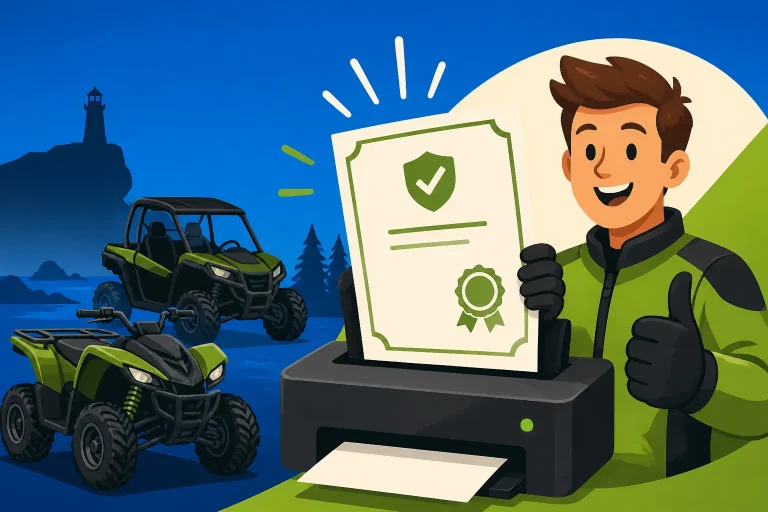
The test has 15 questions, and the passing score is 12 correct answers. After passing, you can print your certificate. If you printed it at the time, the file may also be saved in your computer’s downloads folder, a phone’s files or a cloud storage account. Search for terms such as “ATV,” “safety,” “certificate” or “training,” as well as the date you completed the test.
If you cannot find a saved document, return to the MyGovNL service and check whether your result or certificate is available through your account. The exact screen or options may change. If you cannot retrieve the record online, contact the appropriate registry or service contact and ask how to confirm the training result or obtain another copy.
For details on taking the test, see Taking the Free Safety Test on MyGovNL. If you are unsure what score you need, Fifteen Questions Stand Between You and a Certificate explains the test format and pass mark.
If you completed an approved course
A safety course completed through an approved provider may have a different record-keeping process from the online test. Check the email address you used when registering, including junk and archived folders, for a completion notice or certificate. Also check the provider’s student portal or contact the provider directly.
When you contact a course provider, give them enough information to identify your record: your full name at the time of training, the approximate date, the course type and the email address you used. If your name has changed, mention that and ask what documentation is needed to match the record to you.
Newfoundland accepts certain courses as alternatives to the online test, but not every training course automatically qualifies. If you took training elsewhere or are unsure whether your course is accepted, confirm the course’s status before relying on its certificate. Courses the Registrar Accepts Instead of the Test covers this distinction.
If a parent or supervisor handled the training
For a young rider, a parent or supervisor may have helped arrange the training, confirmed that it was completed, or kept a copy of the paperwork. Ask the adult who was involved to check their email, downloads and paper files. Also confirm which name and email address were used when the rider completed the training.
Training proof is only one part of a young rider’s requirements. Age, machine suitability and supervision rules may apply too. Review Newfoundland Training for First-Time Registrants and Supervisors Must Confirm Training Before a Minor Rides if you are checking a child’s records before a ride.
Check what proof you need before you ride
Finding a certificate is useful only if it is the right record for your situation. A safety certificate is not the same as vehicle registration, a plate or a managed-trail sticker. Check each requirement separately rather than assuming that one document covers them all.
| What you are checking | What to look for | If you cannot find it |
|---|---|---|
| Safety training | A certificate from the online test or proof from an accepted course | Check your MyGovNL account or contact the course provider |
| Registration | The registration permit and the machine’s identification plate | Contact the registry if the permit is missing |
| Managed-trail access | The required trail sticker or accepted proof under the applicable rules | Ask the trail operator what it requires |
| Visitor status | Whether your out-of-province registration and training records are recognized | Confirm the rules for your visitor situation before riding |
Confirm whether the requirement applies to you
The rules can depend on who is riding, how the training was completed and whether the rider is a Newfoundland resident or a visitor. Do not assume that a friend’s certificate, a registration permit or a record from another province automatically meets the requirement.
If you are a first-time registrant, check the training steps connected to that process. The province’s training requirements may differ depending on whether you are registering your first machine, have completed a recognized course or are in another category. [Newfoundland Training for a First Registration] explains what to check when training and registration are connected.
Visitors should check their own circumstances rather than relying on a resident’s checklist. Start with Newfoundland Visitors From Nova Scotia or Newfoundland Visitors From New Brunswick if either applies. For a longer stay, see Visitors Beyond Thirty Days in Newfoundland to understand when registration questions may change. Visitor rules do not necessarily mean that every training or riding requirement disappears.
Keep training and registration records distinct
A safety certificate does not establish ownership of the machine, and a registration permit does not prove that a rider completed safety training. If you are preparing for a ride, confirm that the rider has the required training proof and that the machine has its own registration documents.
For help understanding the machine’s paperwork, see Newfoundland Registration Paperwork Explained. If you need to confirm what registration document you have, What the Registrar’s Permit Says About Your Machine explains the role of the permit.
A managed-trail sticker is another separate item. It relates to access on applicable managed trails, not to whether a rider passed a safety test. Review The Trail Sticker and Training Proof Newfoundland Requires if you are sorting out both requirements for one trip.
What to do when the certificate is missing
A missing certificate does not always mean the training record is lost. First, retrace where and how you completed the training. Then contact the organization that can verify that particular record.
Use this recovery checklist
- Identify the training route. Was it the MyGovNL test or an approved course? If you are not sure, check old email, calendar entries or course receipts.
- Search the likely accounts. Check the email address used for training, your MyGovNL account if applicable, downloads, cloud storage and paper files.
- Check names and dates. Search under the name used at the time. If your name or email address has changed, include both when asking for help.
- Contact the right organization. For the online test, ask the relevant registry or service contact how to confirm or retrieve the result. For a course, contact the provider that delivered it.
- Ask what proof is acceptable. If a record cannot be reissued immediately, ask whether another record can verify completion and whether it will be accepted for your specific purpose.
- Keep a backup once recovered. Save the file somewhere you can access from your phone and keep a printed copy with your riding documents if practical.
Be specific when asking for help. “I need my ATV certificate” may not be enough to locate the right record. Explain whether it was the online test or an in-person course, approximately when you completed it, and whether you need a replacement certificate or simply confirmation of completion.
Do not retake the test or pay for another course until you have checked whether your previous record can be confirmed. A duplicate attempt may be unnecessary, and a course you find online may not be accepted for Newfoundland purposes. Confirm the recognized options first.
If your record cannot be verified
If the provider or registry cannot find your result, ask what steps are available to establish eligibility. You may need to complete an accepted training option again, but confirm that before making arrangements. If the training is for a minor, check the applicable consent and supervision steps as well; completing a course does not by itself replace those requirements.
If the record is needed for a managed trail, contact the trail operator before travelling. Operators can explain what proof they expect at the trailhead, but they cannot necessarily decide whether a course meets provincial training rules. Separate the questions: first confirm that the training is recognized, then confirm what evidence you should carry.
Make the next search easier
Once you have recovered the certificate, save it with a clear filename that includes the rider’s name and the word “safety certificate.” Keep a second copy in a separate location, such as a secure cloud folder or a family member’s account. If you print it, store it with the other riding papers rather than loose in a vehicle.
A digital copy is convenient, but a phone can run out of power or lose service. If you ride in areas with weak coverage, have a practical backup. For more on what paperwork to carry, see Carrying Your Safety Certificate on Every Ride and Newfoundland Proof of Ownership on the Trail.
Disclaimer
This article is for general informational purposes only and does not constitute professional advice. Laws, prices and regulations vary by location and change over time. Consult a qualified professional for guidance on your specific situation.